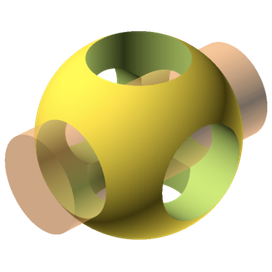
openscad
Open Source 3D CAD Modeller for Programmers
Create Solid 3D Models Using CSG, Extrusion & Configurable Parameters via Open Source Free Python API.
What is OpenSCAD?
OpenSCAD is a free and open source 3D CAD modeling tool designed specifically for programmers and engineers. Unlike interactive 3D modelers, OpenSCAD uses a script-based approach to define solid 3D objects using constructive solid geometry (CSG) and extrusion techniques. This enables precise, reproducible, and parametric modeling ideal for mechanical parts, prototypes, and technical designs. The tool supports Linux, Windows, and macOS, and integrates well with Python-based workflows for automation and scripting.
OpenSCAD reads script files describing the object and renders the 3D model accordingly, giving designers complete control over the modeling process. It supports operations like union, intersection, difference, and transformations such as translate, rotate, and scale. Data can be imported from DXF files and exported to STL, OFF, and other formats. Its open architecture and active community make it a powerful choice for developers seeking programmatic 3D modeling capabilities without relying on GUI interactions.
At A Glance
An overview of OpenSCAD features.
- Constructive Solid Geometry (CSG)
- 2D outline extrusion
- Parametric modeling
- Script-based design
- Set operations (union, intersect, diff)
- Transformations (translate, rotate, scale)
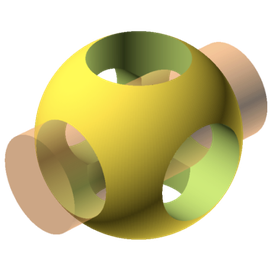
OpenSCAD supports importing 2D outlines and exporting 3D models to common formats.
Platform Independence
OpenSCAD runs on Linux/UNIX, macOS, and Microsoft Windows with consistent behavior across platforms.
.
Getting Started with OpenSCAD
OpenSCAD is available as prebuilt binaries for Linux, macOS, and Windows from its official website. For developers, the source code is hosted on GitHub, and you can build it from source using CMake and the provided build scripts. The official [openscad GitHub](https://github.com/openscad/openscad) repository includes detailed build instructions for all major platforms. To get started quickly, download the latest release, install it, and open the editor to write your first SCAD script.
Install OpenSCAD via Package Managers
# Ubuntu/Debian
sudo apt install openscad

# macOS (Homebrew)
brew install --cask openscad

# Windows (Chocolatey)
choco install openscad
Constructive Solid Geometry (CSG)
OpenSCAD’s core strength lies in its support for constructive solid geometry (CSG), which allows combining basic 3D primitives using boolean operations like union, intersection, and difference. This approach ensures precise, non-manifold-safe modeling suitable for engineering and manufacturing. For example, you can create a cylinder with a hole by subtracting a smaller cylinder from a larger one. CSG operations are defined declaratively in the script, enabling easy parameterization and revision. This makes OpenSCAD ideal for designing mechanical parts, enclosures, and functional prototypes where accuracy and reproducibility are critical.
How to Create a Cylinder with a Hole Using CSG in OpenSCAD?
difference() {
    cylinder(h = 20, r = 10);
    cylinder(h = 25, r = 4, center = true);
}
2D Outline Extrusion
OpenSCAD supports extruding 2D outlines imported from DXF files or defined directly in SCAD code. This technique is essential for creating complex 3D shapes from 2D profiles, such as gears, brackets, or custom enclosures. You can extrude paths linearly or revolve them around an axis (via rotation). The extrusion process respects the order of vertices and supports both 2D polygons and paths with holes. Combined with transformations and modules, this enables parametric generation of parts like pipes, frames, or architectural elements, making OpenSCAD a powerful tool for technical design and fabrication workflows.
How to Extrude a 2D Polygon into a 3D Object?
linear_extrude(height = 10, center = true, convexity = 10)
  polygon(points = [[0,0], [10,0], [5,10]]);
Parametric Modeling & Configuration
OpenSCAD excels at parametric modeling, where dimensions and shapes are defined using variables and functions. This allows designs to be easily customized by changing a few parameters, making it ideal for iterative prototyping and customization. For instance, you can define a module that accepts parameters for width, height, and thickness, then reuse it across multiple designs. Parameters can also be driven by external data, such as values from a CSV or DXF file, enabling integration with Python-based data pipelines. This capability supports generative design, where models adapt automatically to changing requirements or constraints.
How to Define a Reusable Parametric Module?
module box(width, height, thickness) {
    difference() {
        cube([width, height, thickness]);
        translate([thickness, thickness, -1])
            cube([width - 2*thickness, height - 2*thickness, thickness + 2]);
    }
}

box(50, 30, 3);
Data Import & Export Integration
OpenSCAD provides robust support for importing 2D DXF files and exporting 3D models to STL, OFF, and other formats. This makes it easy to integrate with CAD/CAM tools, 3D printers, and simulation software. DXF imports can include paths for extrusion, while exports support binary and ASCII STL for 3D printing. Additionally, OpenSCAD can read design parameters from DXF files, enabling hybrid workflows where geometry is defined in external tools but refined programmatically. This interoperability, combined with its script-based nature, allows developers to automate model generation and batch processing using Python or shell scripts, streamlining production workflows.
How to Import a DXF and Extrude It into 3D?
linear_extrude(height = 5) {
    import(file = "profile.dxf", layer = "outer");
}